Hot Keys
Hot keys make it faster and easier to navigate and extract insights from your
documents.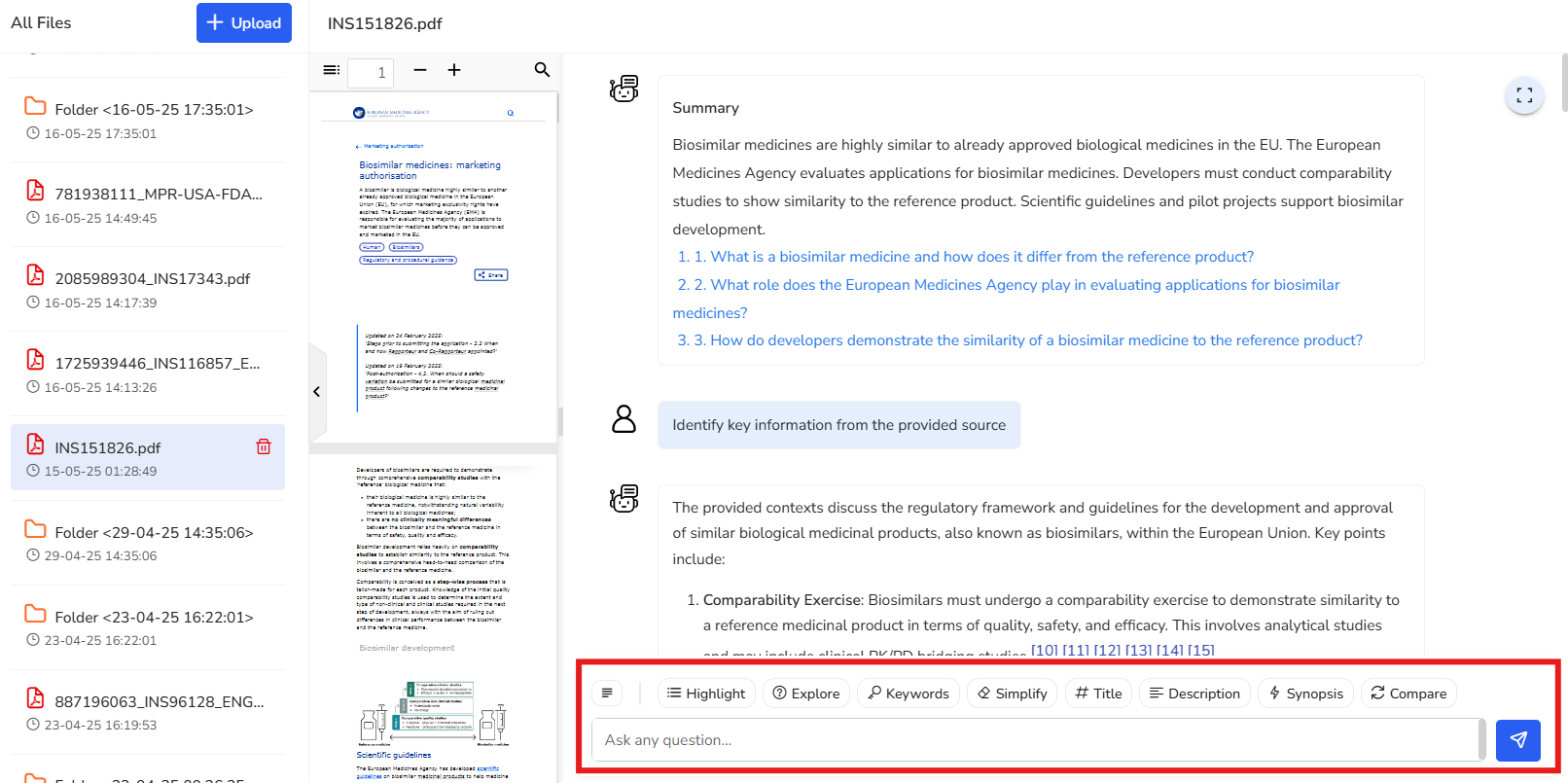
Here’s how each function adds value to your experience:
4.1 Highlight
Instantly identifies key points in your document and shows the exact source page, so you can quickly focus on the most relevant information without digging through the entire text.
In this example, we’ve selected a regulation that outlines the regulatory framework
and guidelines for the development and approval of biosimilars within the European
Union. Key points from the document are highlighted here, along with the
corresponding reference pages for easy navigation and deeper exploration.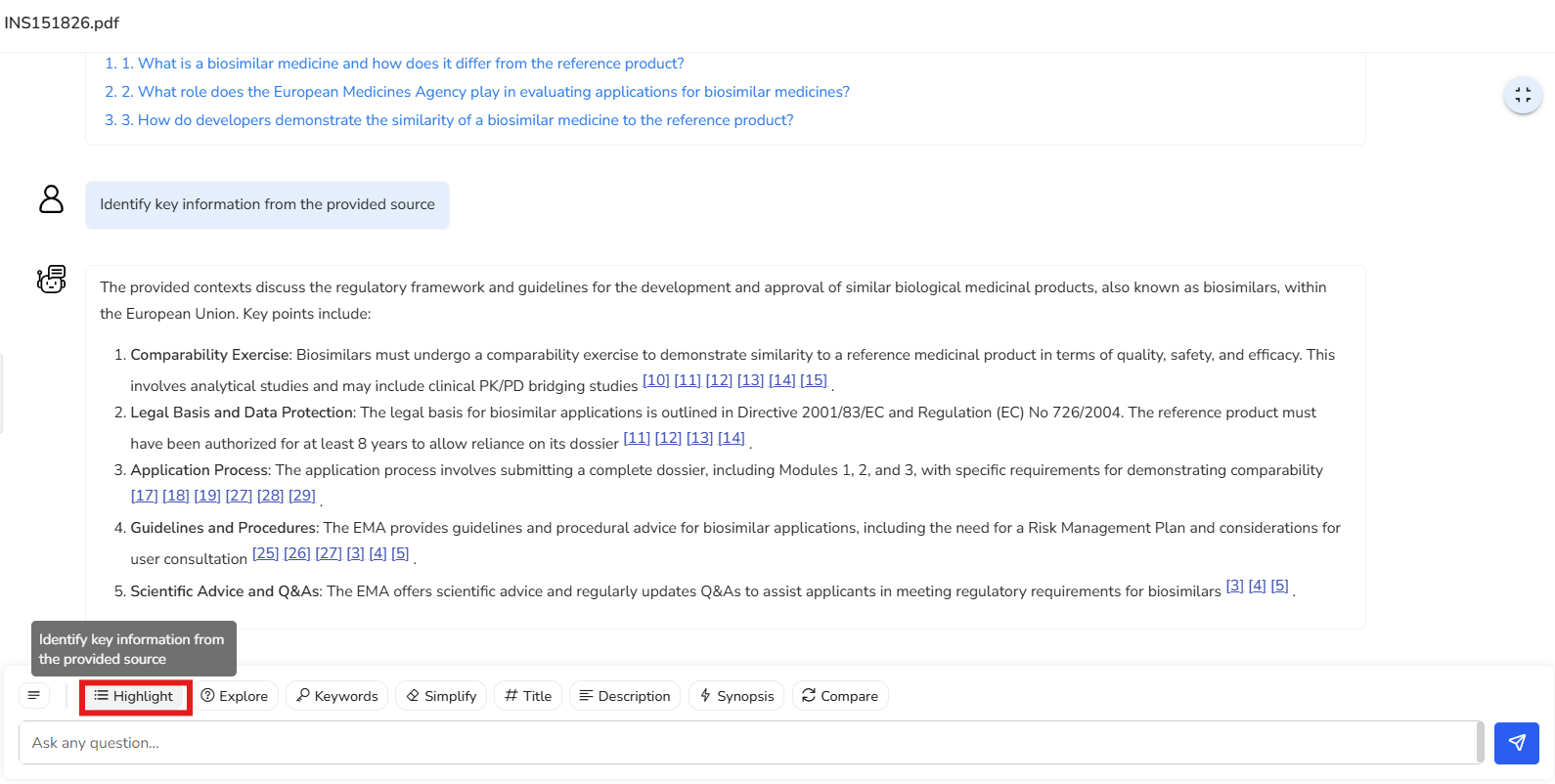
4.2 Explore
Provides a curated list of starter questions to help you engage with the content. Perfect for guiding your analysis and diving deeper into specific topics of interest.
In this example, you’re presented with a set of 15 suggested questions that cover
various aspects of the document. These questions serve as a starting point to help
you explore the content and guide you in diving deeper into specific areas of
interest.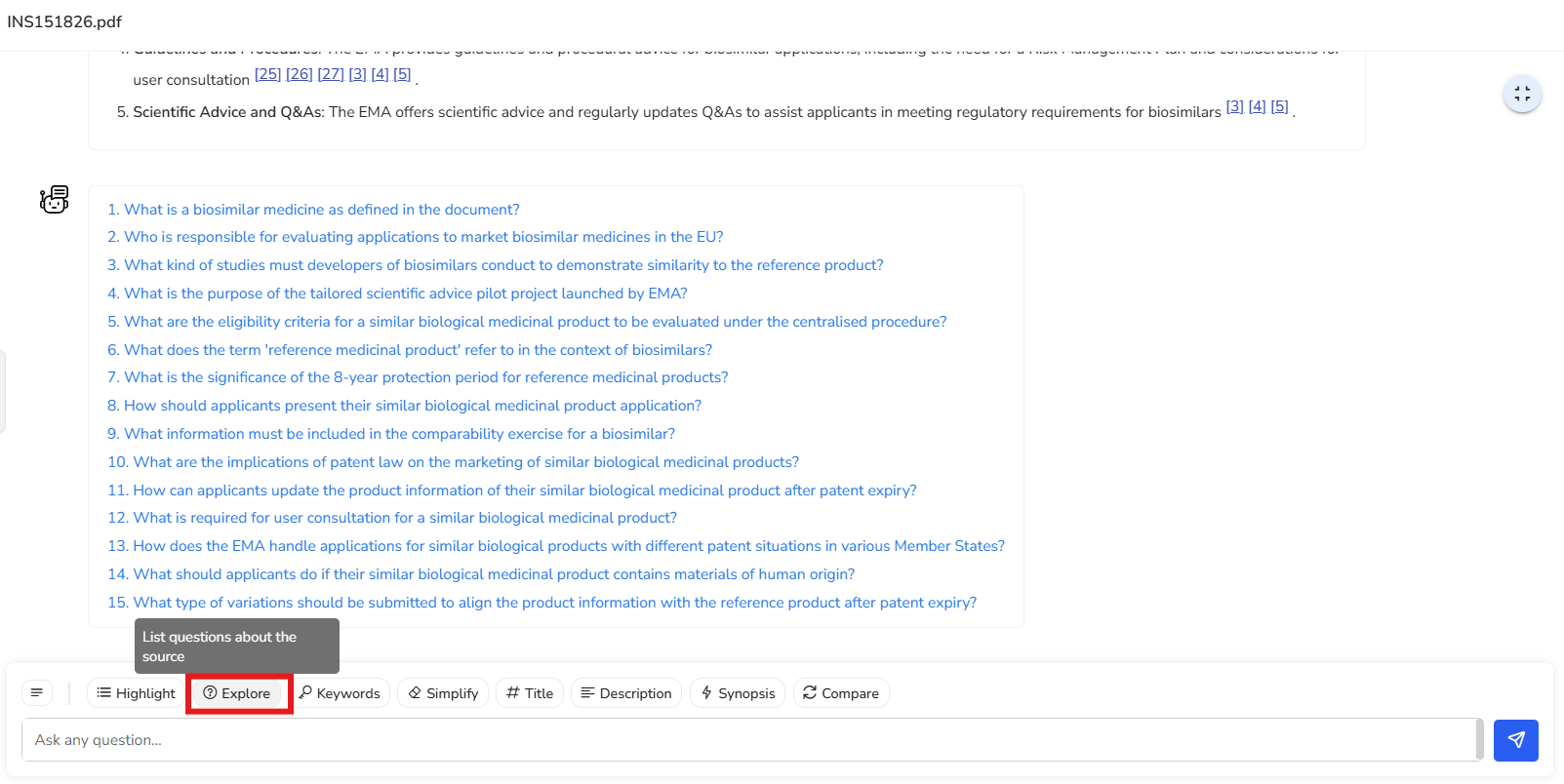
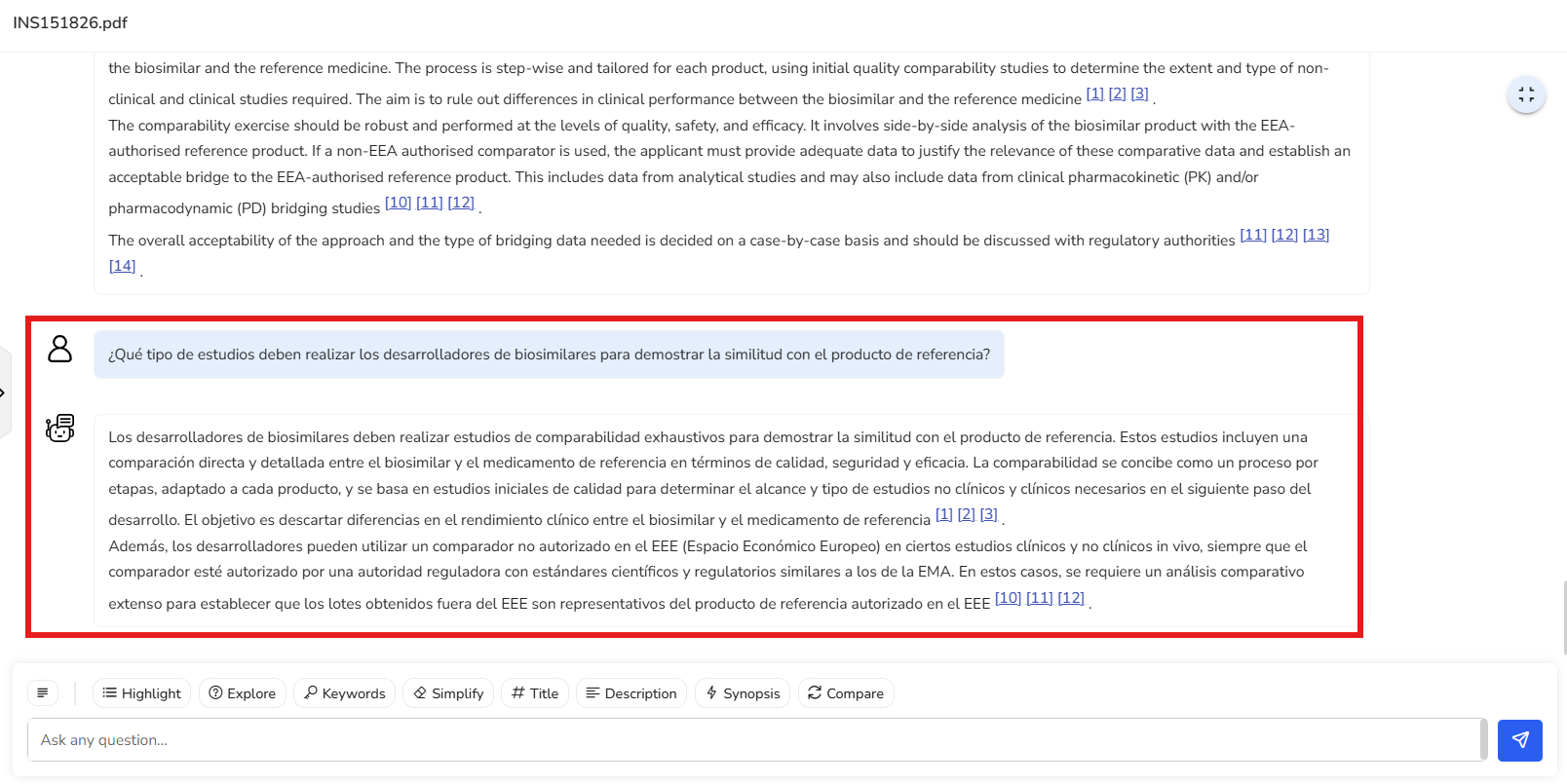
Let’s go ahead and select the third question from the list. We get a clear response about the comparability studies to be conducted on biosimilars to demonstrate similarity with their reference product.
If you want to explore the use of a non-EEA authorized reference product for the
analysis of my biosimilar and understand the analytical studies required to justify
its use, you notice that page numbers are cited at the end of relevant paragraphs.
When you select page 12, for instance, the PDF viewer takes you directly to that
page, allowing you to read the detailed information provided in the document.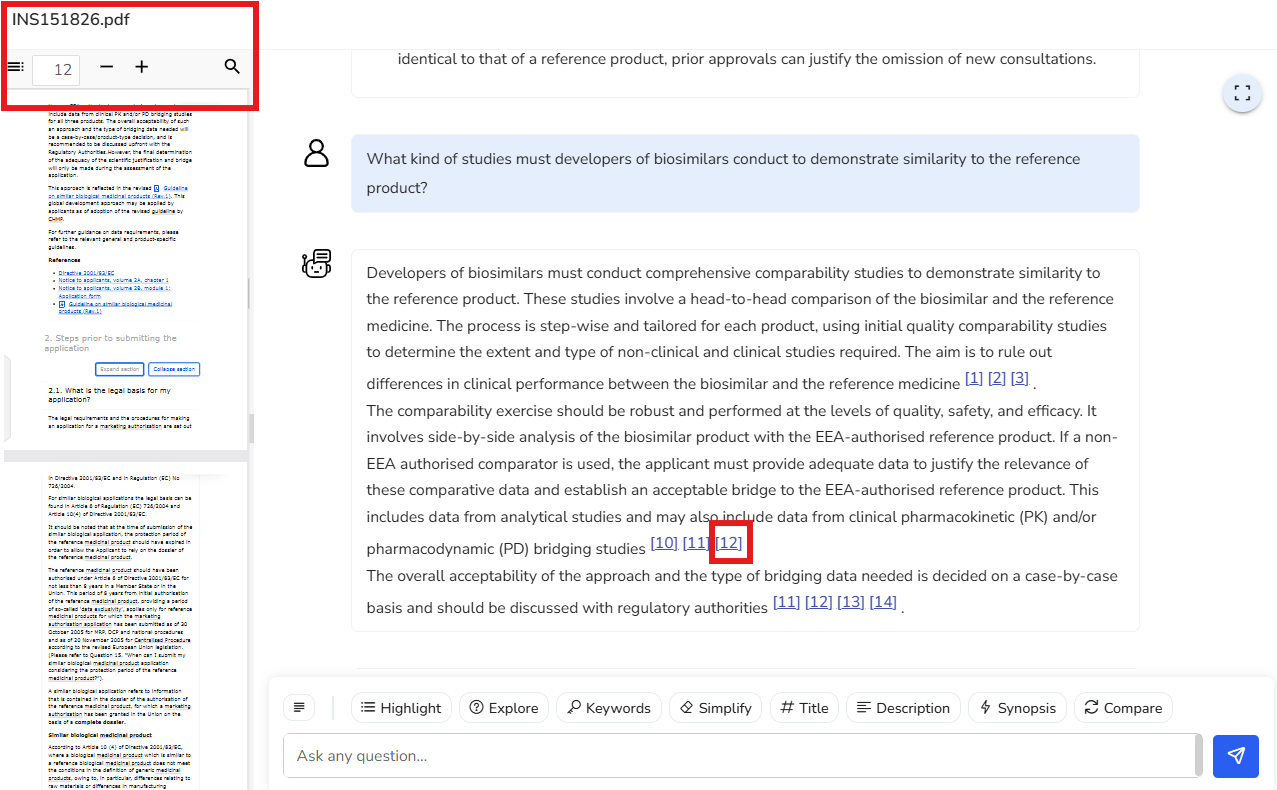
Let’s say your organization has a global team across different regions, and many of
them are fluent in Spanish. You can simply ask the same question in Spanish—and
thanks to Content Partner’s multilingual support, you’ll get a smooth, accurate
response in that language too. It makes collaboration effortless and ensures
everyone can work in the language they’re most comfortable with.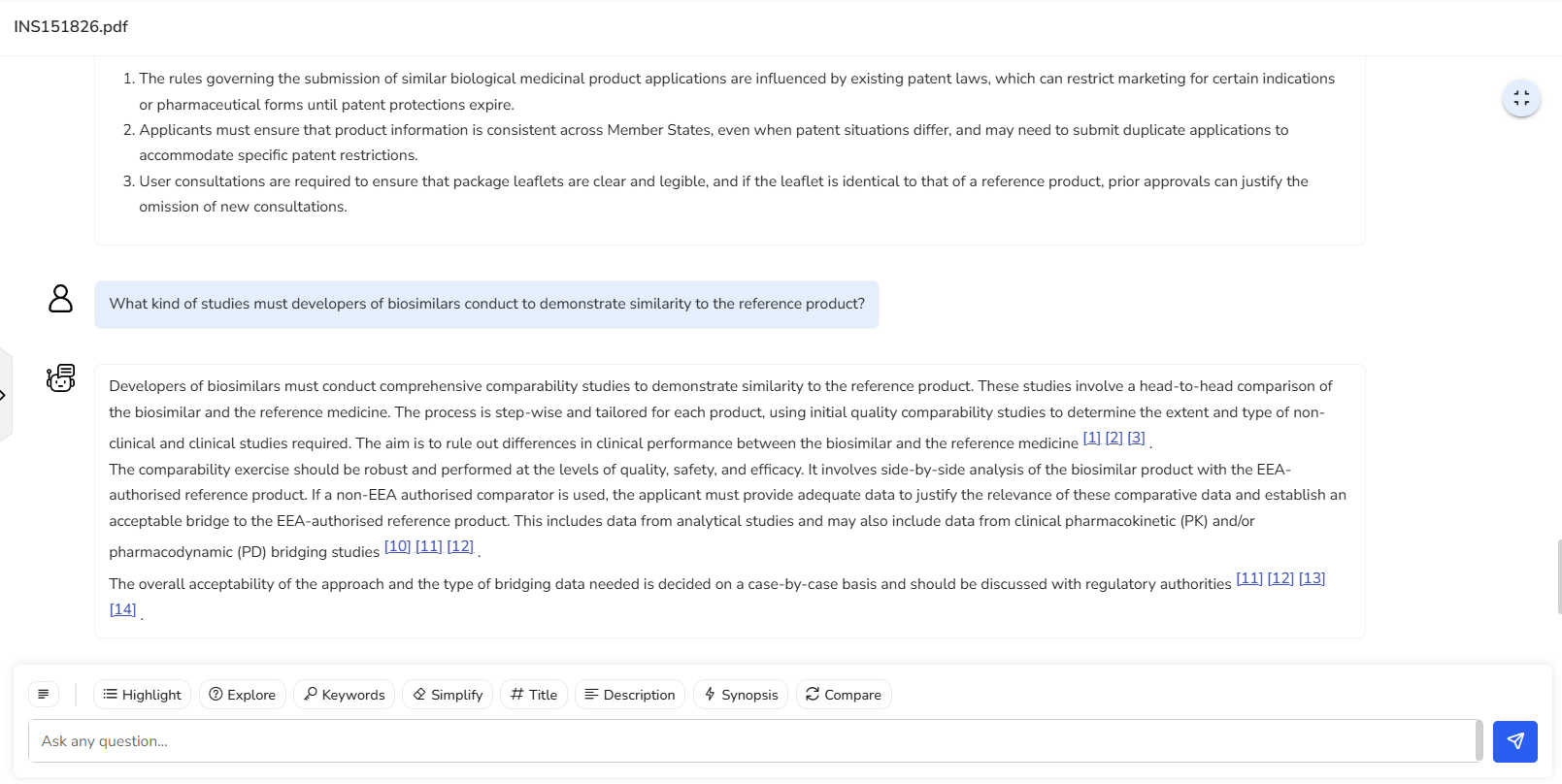
4.3 Keywords
Extracts and lists important keywords from the document, helping you grasp the main themes and perform quick topic-based searches.
In this example, a list of 29 key keywords has been extracted from the document.
These keywords provide a quick overview of the main themes and topics covered. Terms
like “compatibility exercise,” “reference medicinal product,” and “EMA (European
Medicines Agency)” help you grasp the document’s core focus at a glance.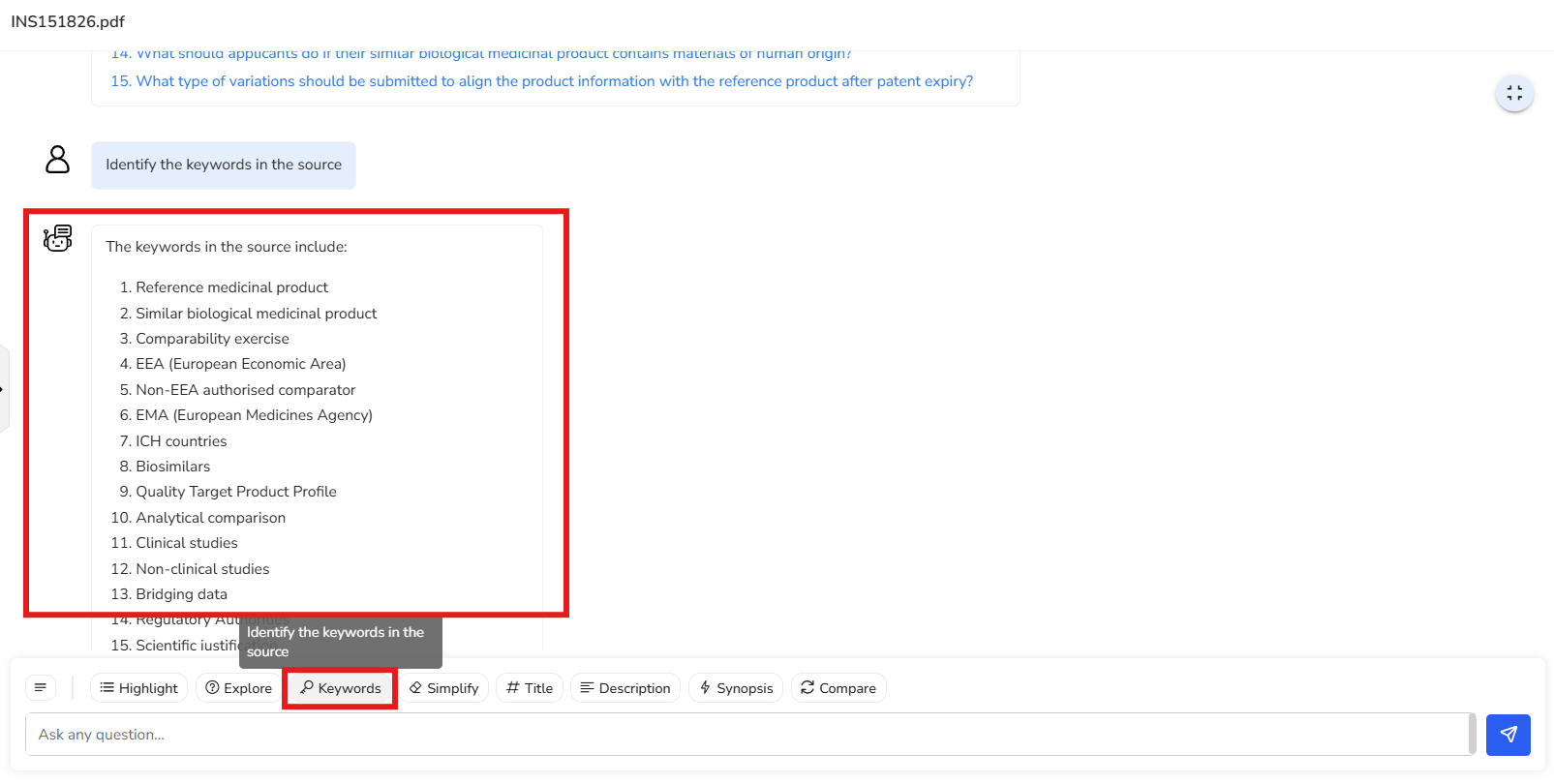
4.4 Simplify
Translates complex regulatory language into clear, easy-to-understand text—making it accessible even for those without a technical background.
In this example, the document has been simplified into a plain language summary. It
uses clear, straightforward language to ensure that even someone without a technical
background can easily understand the content.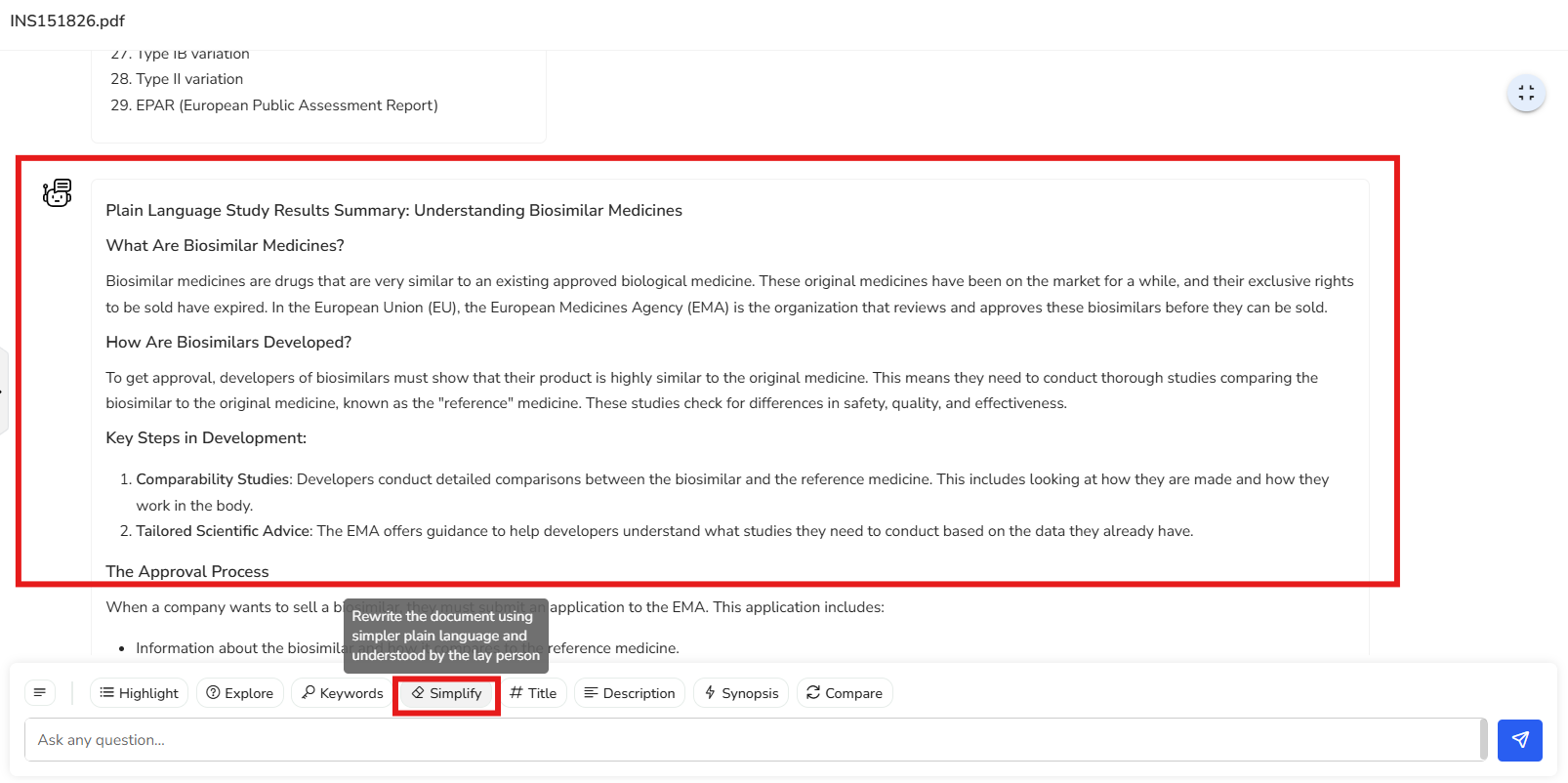
4.5 Title
Automatically suggests a clear and relevant title for the insights extracted from your document, helping you stay organized.
In this example, the suggested title is ‘Regulatory Framework and Guidelines for
Marketing Authorisation of Biosimilar Medicines in the European Union.’ This title
effectively captures and summarizes the core focus of the document in a clear and
concise manner.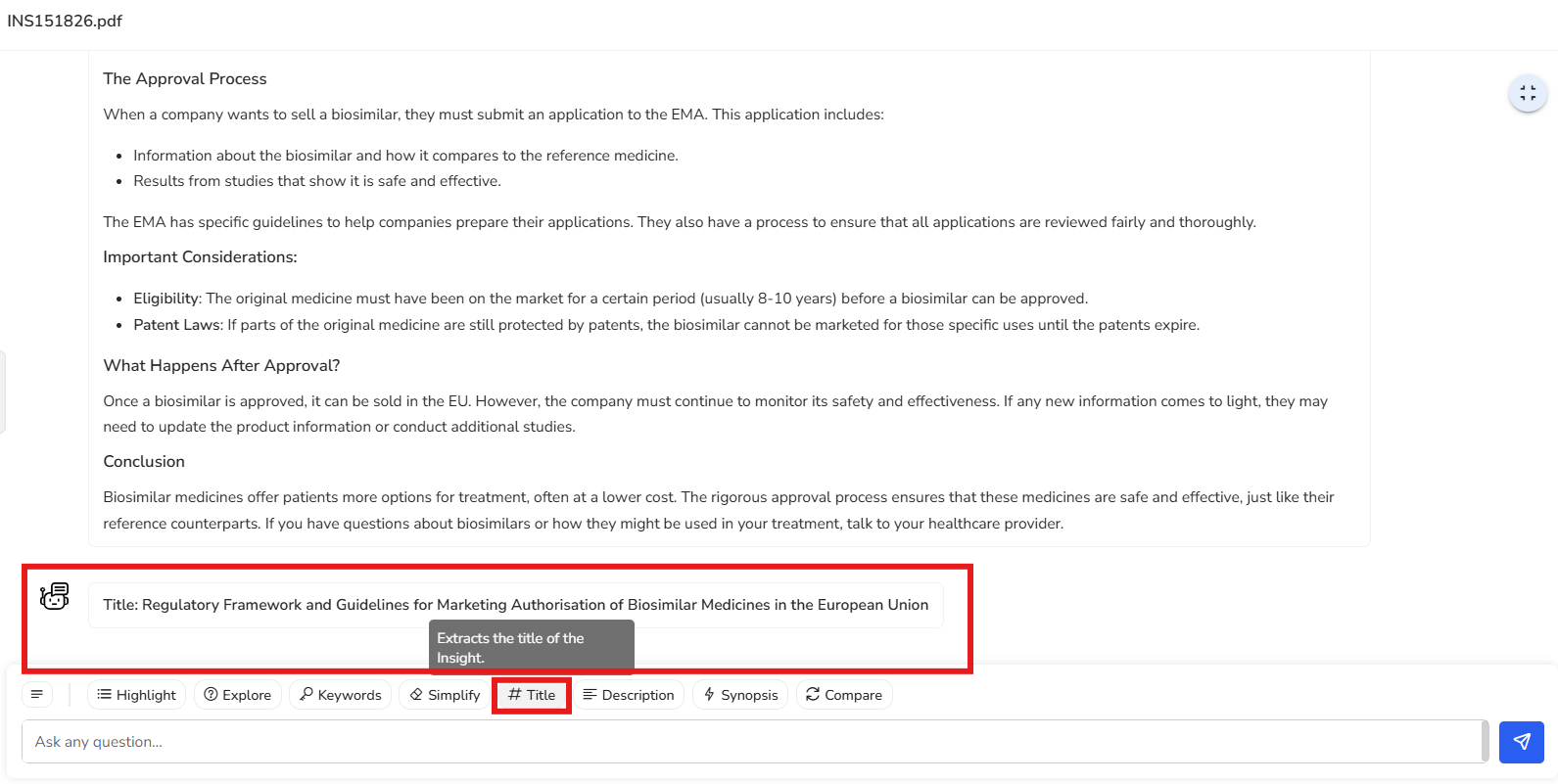
4.6 Description
Pulls out key regulatory details, giving you a focused snapshot of the most critical information.
In this example, we’re presented with the key regulatory details covered in the
document—specifically, the regulatory framework and requirements for obtaining
marketing authorization for biosimilars in the EU. It also highlights the importance
of conducting comparability tests to establish similarity between the biosimilar and
the reference biologic product.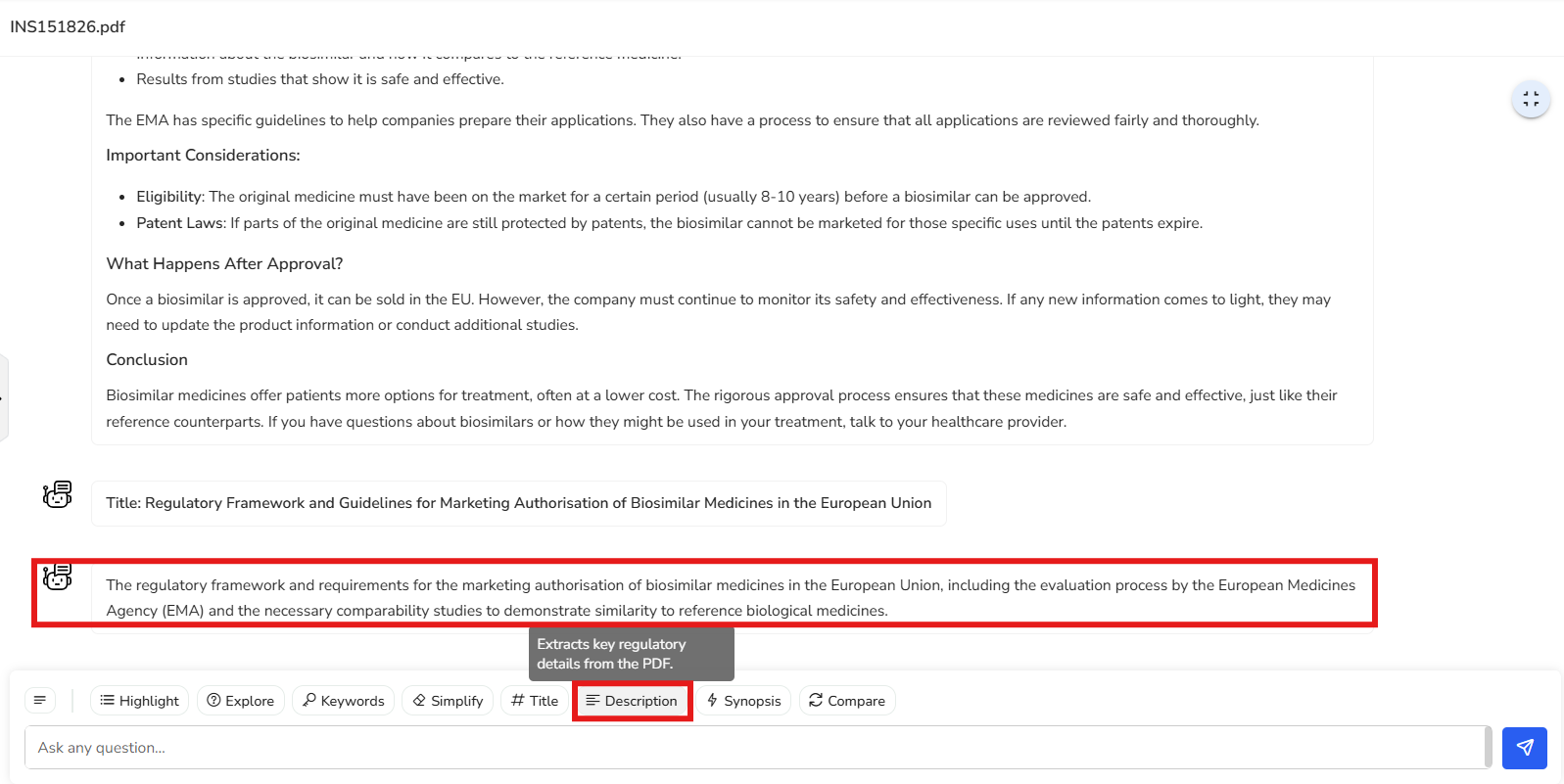
4.7 Synopsis
Generates a concise summary of the document, capturing essential elements like objectives, study design, methodology, and statistical considerations—ideal for quick reviews.
This brief summary captures the core content of the document, highlighting the need
for comprehensive comparability studies to ensure biosimilars match reference
products in safety, quality, and efficacy. It also outlines the EU regulatory
framework, legal requirements for marketing authorization, the impact of patent
laws, and procedures for product information harmonization and user
consultations—offering a clear snapshot of all key points covered.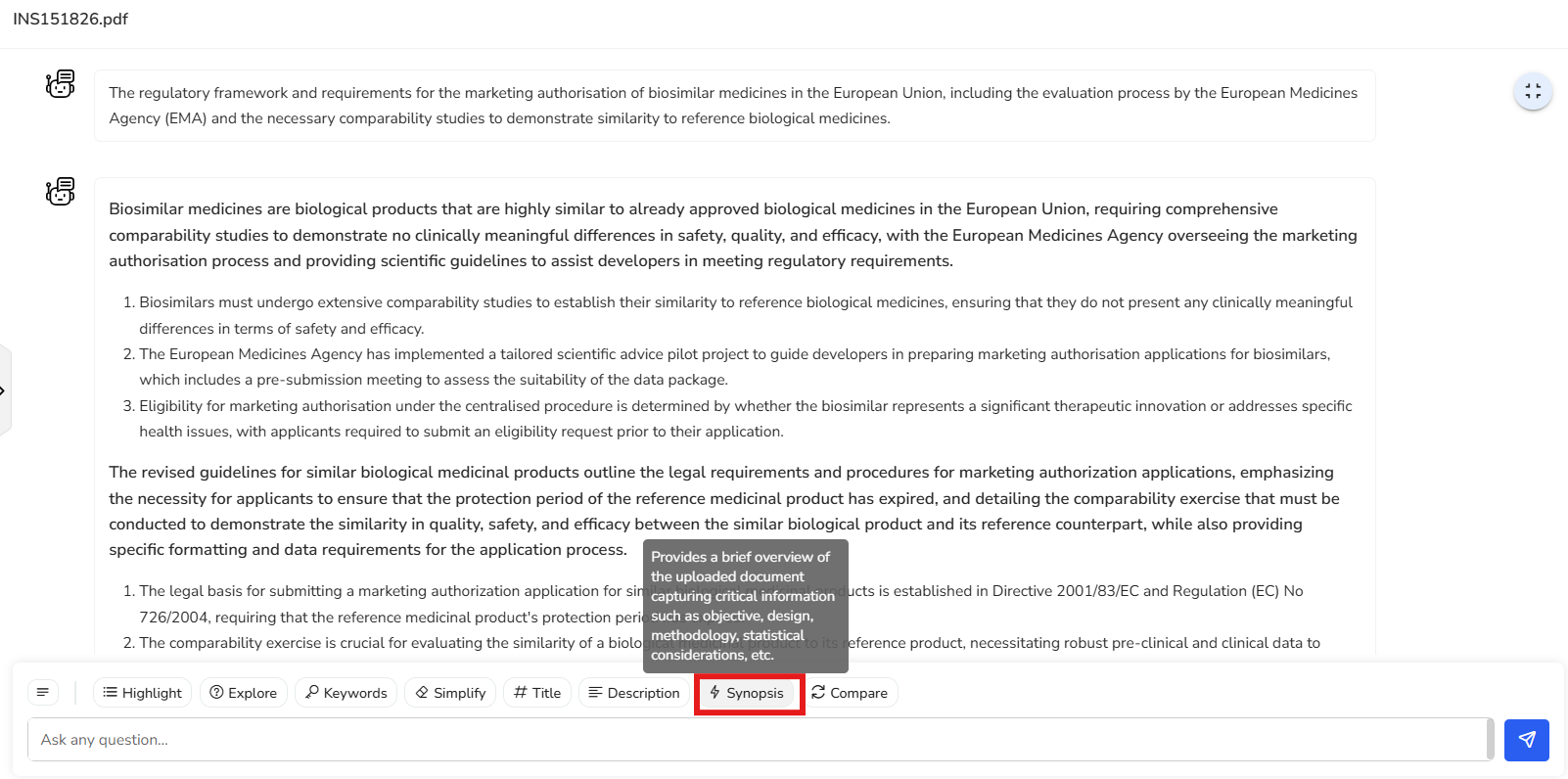
4.8 Compare
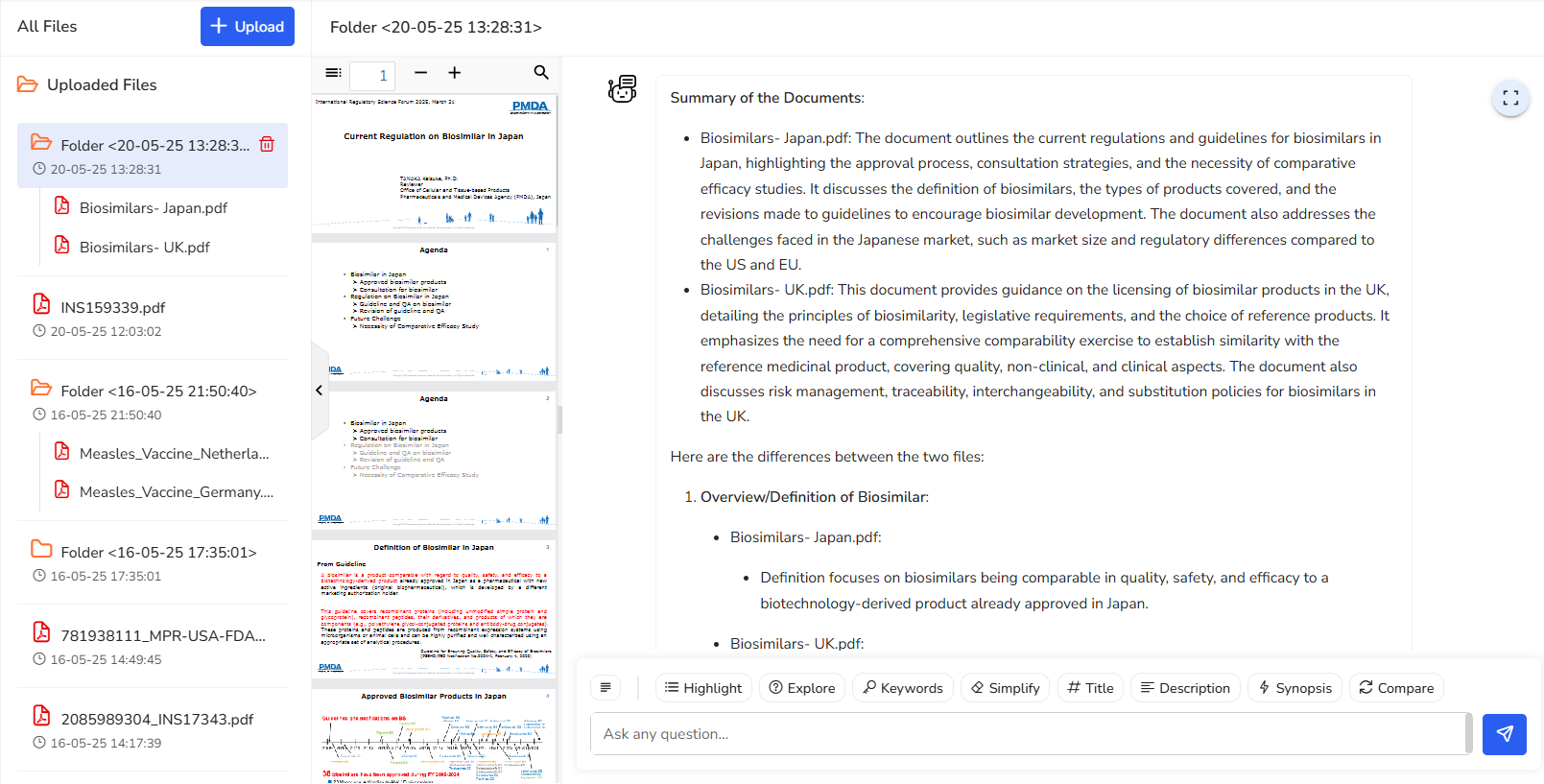
Easily compare two documents. You’ll receive a summarized view of both and a clear outline of their differences to support faster decision-making.
In this example, let’s say your company is planning to expand into Asian markets, and you’re looking at Japan as a starting point. If you already have a presence in the UK market, you’ll naturally want to understand how biosimilar licensing requirements differ between the UK and Japan.
With the compare feature, it’s super easy to do just that. You get an instant
overview of both sets of guidelines, making it simple to spot key differences and
understand what adjustments you might need to make. It saves time, removes the
guesswork, and helps you plan your next steps with confidence.